Yealink UH42 USB-C/A Wired Headset,AI No…

Add your review

$49.99

$49.99

Add to wishlistAdded to wishlistRemoved from wishlist 0


Customers say

Customers find the headset's audio quality good and say it works well for their needs. The controls receive positive feedback, with one customer particularly appreciating the Microsoft call and volume buttons. The noise cancellation feature receives mixed reviews, with some customers saying it does a great job.

AI Generated from the text of customer reviews

Select to learn more

10 customers mention sound quality, 7 positive, 3 negative

Customers are satisfied with the sound quality of these headphones.

Very nice headphones. True fill range audio 20h-20khz after testing with frequency test audi. The mic eliminates most background audio as….Read more

…The sound quality is clear, the mic works great for calls, and setup was quick and easy. They’re lightweight, stay comfortable, and feel durable….Read more

Super sad about these headset. Too low for volume ( no matter what) for softline phones….Read more

…But it's working great, sound quality is good and the controls work. So far so good 👍Read more

9 customers mention functionality, 9 positive, 0 negative

Customers find that the headset works well, with one mentioning it performs effectively for training purposes.

…Too low for volume ( no matter what) for softline phones. Works great on Microsoft teams, too low on genesis and avaya systems….Read more

…This works well for that. The volume controls work great, too….Read more

…If you need something reliable and comfy for long workdays on the computer, these are a great choice. Highly recommend!Read more

…The headset feels kind of loose on my head. But it's working great, sound quality is good and the controls work. So far so good 👍Read more

6 customers mention controls, 5 positive, 1 negative

Customers appreciate the headset's controls, with one mentioning the effective Microsoft buttons and another noting the adjustable features.

…But it's working great, sound quality is good and the controls work. So far so good 👍Read more

They are adjustable, and I've not had any issues with that….Read more

…The teams controller buttons work great they sync perfectly with the status whether I'm in a meeting or in a call.Read more

…Super Comfy and doesnt hurt after long day, loved the optional call and volume microsoft buttons….Read more

5 customers mention noise cancellation, 3 positive, 2 negative

Customers have mixed experiences with the headset's noise cancellation, with some finding it pretty great, while others report issues with muting functionality.

…They do a pretty great job of noise cancelling, but not as good as the Microsoft ones they replaced in terms of hearing other noises in the room…Read more

…The mic is not "flip to mute", but they refunded and fixed the description. 4 stars for a great response to the issueRead more

…The mic eliminates most background audio as. It is non-active noise cancelling. Comfortable enough for all day wearing.Read more

…button is either not in sync with the Teams meeting, or does not mute/unmute correctly….Read more


Excellent deal on noise-canceling headset

5 out of 5 stars

Excellent deal on noise-canceling headset
This headset delivers every penny that you pay for it. The mic performs well, offering better clarity than a standard HD webcam but not as much as my podcast-quality/vocal mic, which is what I expected. It leans into picking up more of the middle and bass than the high frequencies. That's likely due to the noise-canceling. The same goes for the audio, which feels heavier on the bass and just a touch muffled. These are like most computer headsets and avoid getting very loud. Anyone hard of hearing will need software to boost the audio. The noise-canceling works very well. In a standard sound recorder, it almost completely eliminated the noise of typing from a moderately loud mechanical keyboard. Just be careful about using it with other noise-canceling features in your phone/video apps to avoid sound degradation. When I tested recording with it on Zoom, the sound would drop out while typing when Zoom's noise-canceling was active. When I turned it off, the quality improved. The headset is very comfortable, though it's a little on the larger side. It might not work as well for someone with a thinner or smaller head. (My head is probably slightly smaller than average.) The headset is comfortable enough to wear all day. I typically prefer ones that are a little snug on the head. These feel somewhat looser but not so much that they'll fall off easily. They're super light, and I really can't complain. All the other features work as promised. The headset is plug-and-play, ready to work with PC software. The mic boom fully rotates, allowing you to wear the mic on either side of your head. The built-in controls function well. While I've pointed out some apparent deficiencies, they were all what I would expect for a headset at this price point. To get into pro quality audio and noise-canceling, you need to pay at least twice what these are going for. For what you get, these are well worth the cost as a good starter or backup headset for professional use.

Thank you for your feedback

Sorry, there was an error

Sorry we couldn't load the review


Top reviews from the United States

  • 5 out of 5 stars

    Overall good quality headset, perfect for Teams…voice-over is a little loud though

    Reviewed in the United States on July 6, 2026
    Brief content visible, double tap to read full content.
    Full content visible, double tap to read brief content.
    My Microsoft headset busted, and rather than bother my IT guys for a replacement and drive all the way to my office to get them (I work remotely), I went ahead and just bought these out of pocket. That said, the first winning factor is the price, since these beat out the cost of the Microsoft units.

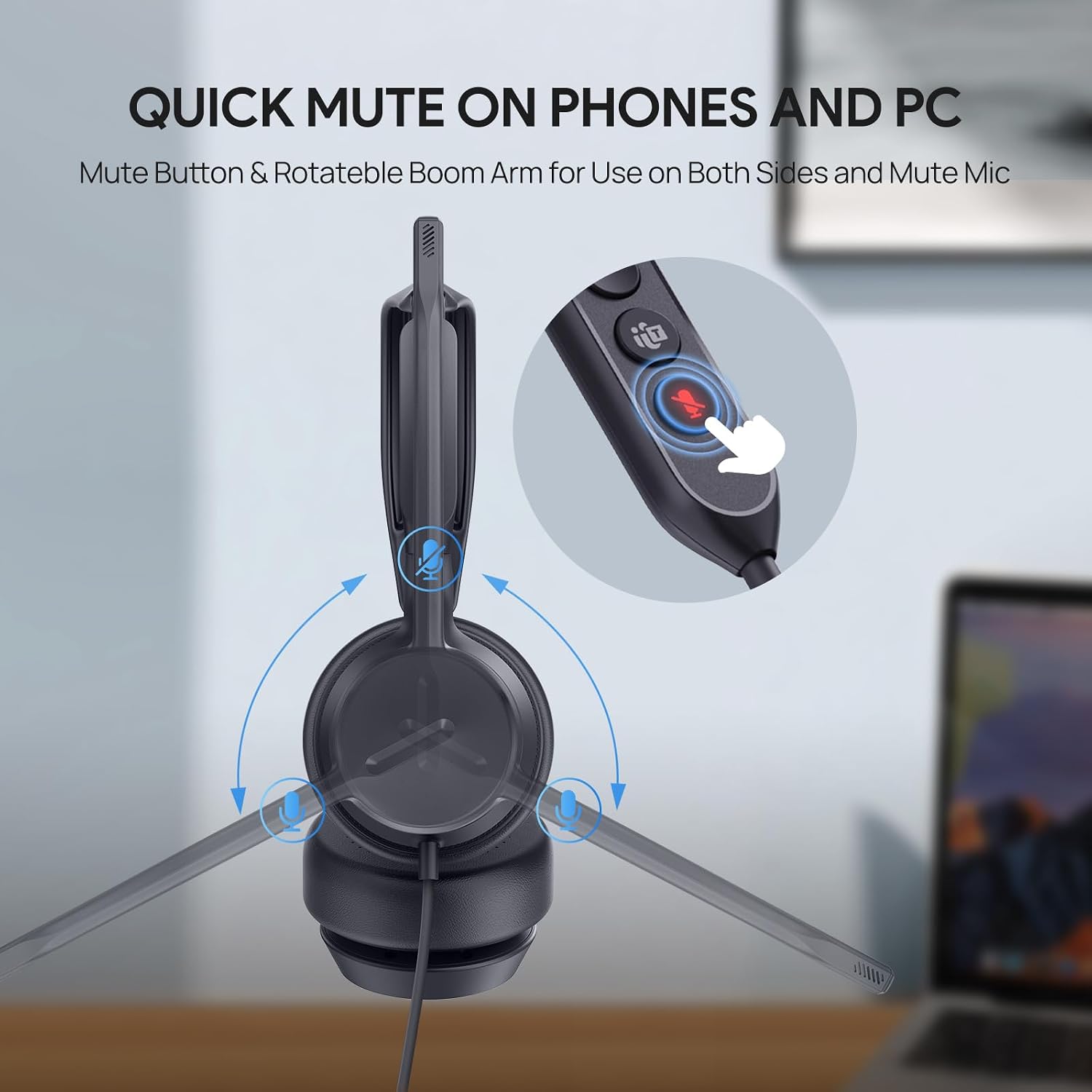
    Comfort wise, these have been fine. There are days where I'll be in calls pretty much all day, and I don't give much thought to them. They are adjustable, and I've not had any issues with that. The boom mic swivels to both sides, and the headset is symmetrical, so you can technically wear it so the boom is on either ear, though I think if you were listening to something in true stereo, it might be backwards. I've always worn it with boom mic on the left ear and haven't noticed any sound being 'backwards'…but then again, company meetings and client calls aren't exactly action scenes.

    These are also not bulky at all. Audio quality is good for being on-the-ear style. I've not had any complaints about audio issues. They are wired for USB-C, but include a USB-C to USB-A adapter that's tethered on the headset. I've not needed to use the adapter.

    They do a pretty great job of noise cancelling, but not as good as the Microsoft ones they replaced in terms of hearing other noises in the room (I share a work space with the Mrs., also work-from-home). I have dogs, and one in particular barks loudly at things at the door (as most dogs do); a few times I've apologized to people on the call, but they almost always says they didn't hear anything. Not sure if it's the headset doing the noise cancelling, or Teams, but it's a great feature if it's the headset.

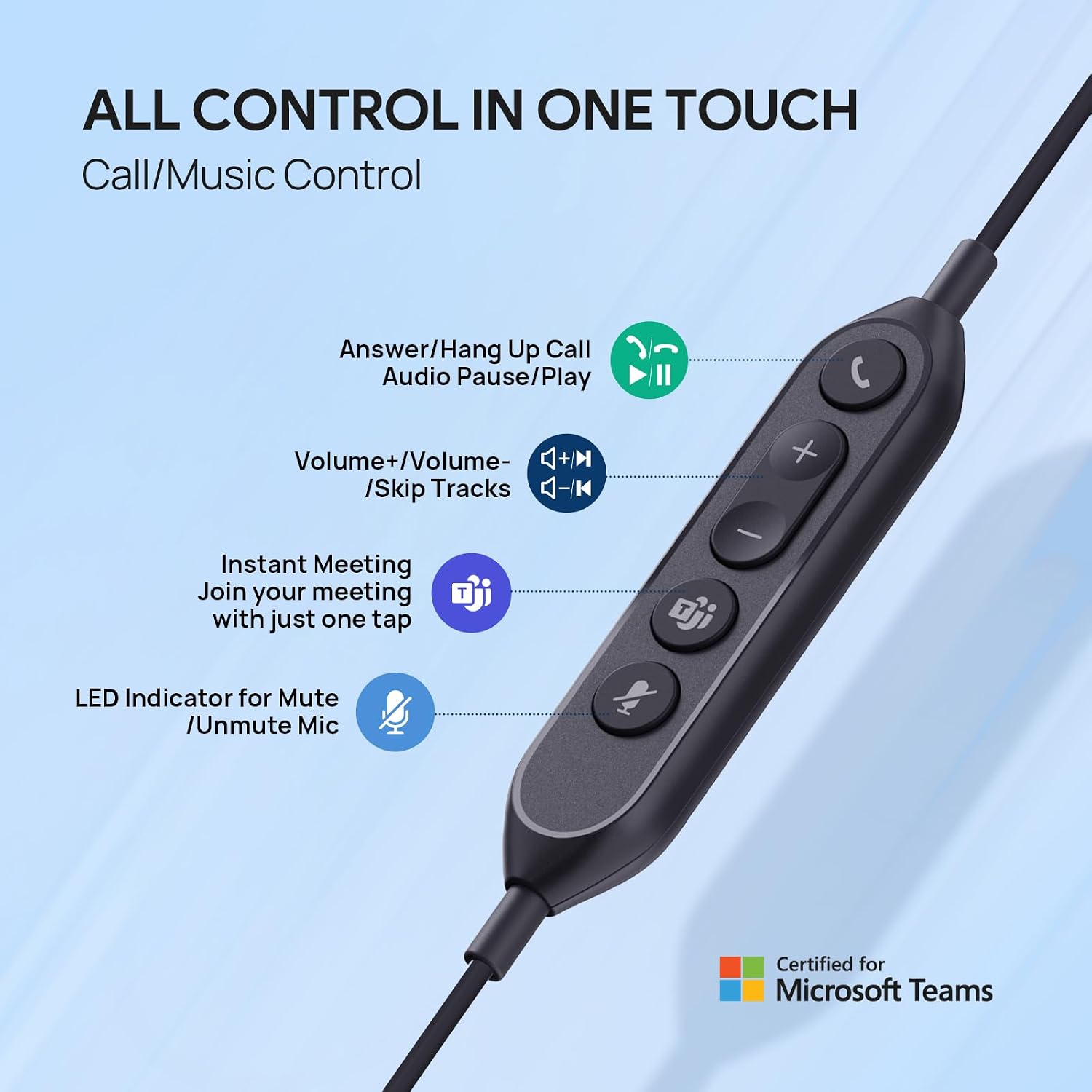
    The inline controls were perhaps my biggest need out of a headset. I often have many speaking roles on my work calls, so it's important that I can quickly mute and unmute. This works well for that. The volume controls work great, too. The headset is "Teams Certified" though I'm not entirely sure what it really means sometimes, since there's a "Teams" button that either always lit, or slowly blinks, but pressing it hasn't really ever done anything that I've noticed (I thought that when it blinked, pressing it would bring the 'Join Teams Meeting' window to the forefront, or auto join…but I don't think I've seen that happen).

    There have been a couple times when the headset's mute button is either not in sync with the Teams meeting, or does not mute/unmute correctly. I tend to have to unplug the headset for it to correct.

    Lastly, for the only major gripe. While mute/unmute works well overall, there's a voice-over that does 3 things:
    1. It tells you when you've muted yourself (as "MUTED")
    2. It tells you when you've unmuted yourself (as "UNMUTED")
    3. It tells you when you are muted…as in, if you're talking on mute, it lets you know that (as "MUTED").

    …these are good things, except when the voice-over is so loud (hence the cap letters above!) that it basically blocks hearing anything else, like if you still want to listen while transitioning. #3 is a pain because it'll say something if you cough, sneeze, or tap the boom on accident or while picking your nose. Obviously, the spoken word is short, but it's still maybe 1-2s long, which doesn't seem like much, but can be enough to miss a word or two, particularly short replies. There's not a way to control the voice-over volume or disable it, but I guess I'd rather have it than not have it, especially since I have a lot of calls and it saves me the trouble of finding the icons in the Teams window, particularly when presenting something.

    One person found this helpful

    Sending feedback…

    Thank you for your feedback.

    Sending feedback…

    Thanks, we'll investigate in the next few days.

  • 5 out of 5 stars

    Excellent microphone quality

    Reviewed in the United States on July 2, 2026
    Brief content visible, double tap to read full content.
    Full content visible, double tap to read brief content.
    Pretty good for the cost. The microphone is great, good sound, doesn't hurt my ears. The ear cover could be a bit larger but for work they work nicely. Love the on and off buttons and the fact they are Teams approved.

    Sending feedback…

    Thank you for your feedback.

    Sending feedback…

    Thanks, we'll investigate in the next few days.

  • 4 out of 5 stars

    Very comfy

    Reviewed in the United States on July 13, 2026
    Brief content visible, double tap to read full content.
    Full content visible, double tap to read brief content.
    Love this noise canceling on point and very comfy on my ears

    Sending feedback…

    Thank you for your feedback.

    Sending feedback…

    Thanks, we'll investigate in the next few days.

  • 5 out of 5 stars

    Gets the job done for $40 they are good!

    Reviewed in the United States on April 24, 2026
    Brief content visible, double tap to read full content.
    Full content visible, double tap to read brief content.
    I’m going to give these 5 stars for the price they are pretty good. If you’re a WFH SAHM I wouldn’t suggest purchasing these unless your kids are quiet lol. They are extremely comfortable. My kids are loud I tested it with them close by me as long as I’m talking you can’t hear them. When I’m far away you can’t hear them at all. Jen I put the mic up away from my mouth the trainer couldn’t hear me. You MUST keep the mic at least 2 inches from your mouth when talking to cancel out background noise. When they yell you can hear them a little bit. Tip: You’ll need to access the settings on your pc and click “mute background noises”. I also turned the mic on the headset down either in the pc settings or the headphone setting's can’t remember. You do have to download the yeolink software on your pc in order to access the setting. If your company doesn’t allow certain software to be installed on your pc then you’re SOL in that regard. I will be purchasing a better pair but these did good for my training.
    4 people found this helpful

    Sending feedback…

    Thank you for your feedback.

    Sending feedback…

    Thanks, we'll investigate in the next few days.

  • 5 out of 5 stars

    Perfect for All-Day Teletherapy Use

    Reviewed in the United States on February 13, 2026
    Brief content visible, double tap to read full content.
    Full content visible, double tap to read brief content.
    These USB headphones with microphone have been amazing for my teletherapy sessions. I wear them all day, and they’re super comfortable—no ear pain or pressure, even after hours of use. The sound quality is clear, the mic works great for calls, and setup was quick and easy. They’re lightweight, stay comfortable, and feel durable. If you need something reliable and comfy for long workdays on the computer, these are a great choice. Highly recommend!
    One person found this helpful

    Sending feedback…

    Thank you for your feedback.

    Sending feedback…

    Thanks, we'll investigate in the next few days.

  • 2 out of 5 stars

    Comfortable, but too low for callers to hear you

    Reviewed in the United States on March 3, 2026
    Brief content visible, double tap to read full content.
    Full content visible, double tap to read brief content.
    Super sad about these headset. Too low for volume ( no matter what) for softline phones. Works great on Microsoft teams, too low on genesis and avaya systems. Super Comfy and doesnt hurt after long day, loved the optional call and volume microsoft buttons. Best for team meetings, qcom and not high call volumes.

    Comfortable, but too low for callers to hear you

    2 out of 5 stars

    Comfortable, but too low for callers to hear you

    Reviewed in the United States on March 3, 2026

    Super sad about these headset. Too low for volume ( no matter what) for softline phones. Works great on Microsoft teams, too low on genesis and avaya systems. Super Comfy and doesnt hurt after long day, loved the optional call and volume microsoft buttons. Best for team meetings, qcom and not high call volumes.

    4 people found this helpful

    Sending feedback…

    Thank you for your feedback.

    Sending feedback…

    Thanks, we'll investigate in the next few days.

  • 5 out of 5 stars

    Quality headset

    Reviewed in the United States on May 28, 2026
    Brief content visible, double tap to read full content.
    Full content visible, double tap to read brief content.
    This headset is definitely a step above my previous headset I got and a little bit more expensive. The headset is very comfortable on my admittedly wide head. I bought a bunch of these for the office and we have been happy with them. The teams controller buttons work great they sync perfectly with the status whether I'm in a meeting or in a call.
    2 people found this helpful

    Sending feedback…

    Thank you for your feedback.

    Sending feedback…

    Thanks, we'll investigate in the next few days.

  • 5 out of 5 stars

    Nice headset for work

    Reviewed in the United States on October 17, 2025
    Brief content visible, double tap to read full content.
    Full content visible, double tap to read brief content.
    Very comfortable.. very soft ear pads. The headset feels kind of loose on my head. But it's working great, sound quality is good and the controls work. So far so good 👍

    Sending feedback…

    Thank you for your feedback.

    Sending feedback…

    Thanks, we'll investigate in the next few days.

Top reviews from other countries

  • 5 out of 5 stars
    Works as described
    Reviewed in Canada on December 8, 2025
    Brief content visible, double tap to read full content.
    Full content visible, double tap to read brief content.
    Works well as advertised

    Sending feedback…

    Thanks, we'll investigate in the next few days.

  • 5 out of 5 stars
    Best voice isolation
    Reviewed in Canada on November 21, 2025
    Brief content visible, double tap to read full content.
    Full content visible, double tap to read brief content.
    very good mic quality and voice isolation

    Sending feedback…

    Thanks, we'll investigate in the next few days.


Product Summary: Yealink UH42 USB-C/A Wired Headset,AI Noise Cancelling Mic,in-Line Controls | Teams/Zoom Certified, Stereo Headphones,Plug & Play for Computer/Laptop/Phone,7ft Cable, Dynamic EQ, Call Center, Office,Home

From Yealink
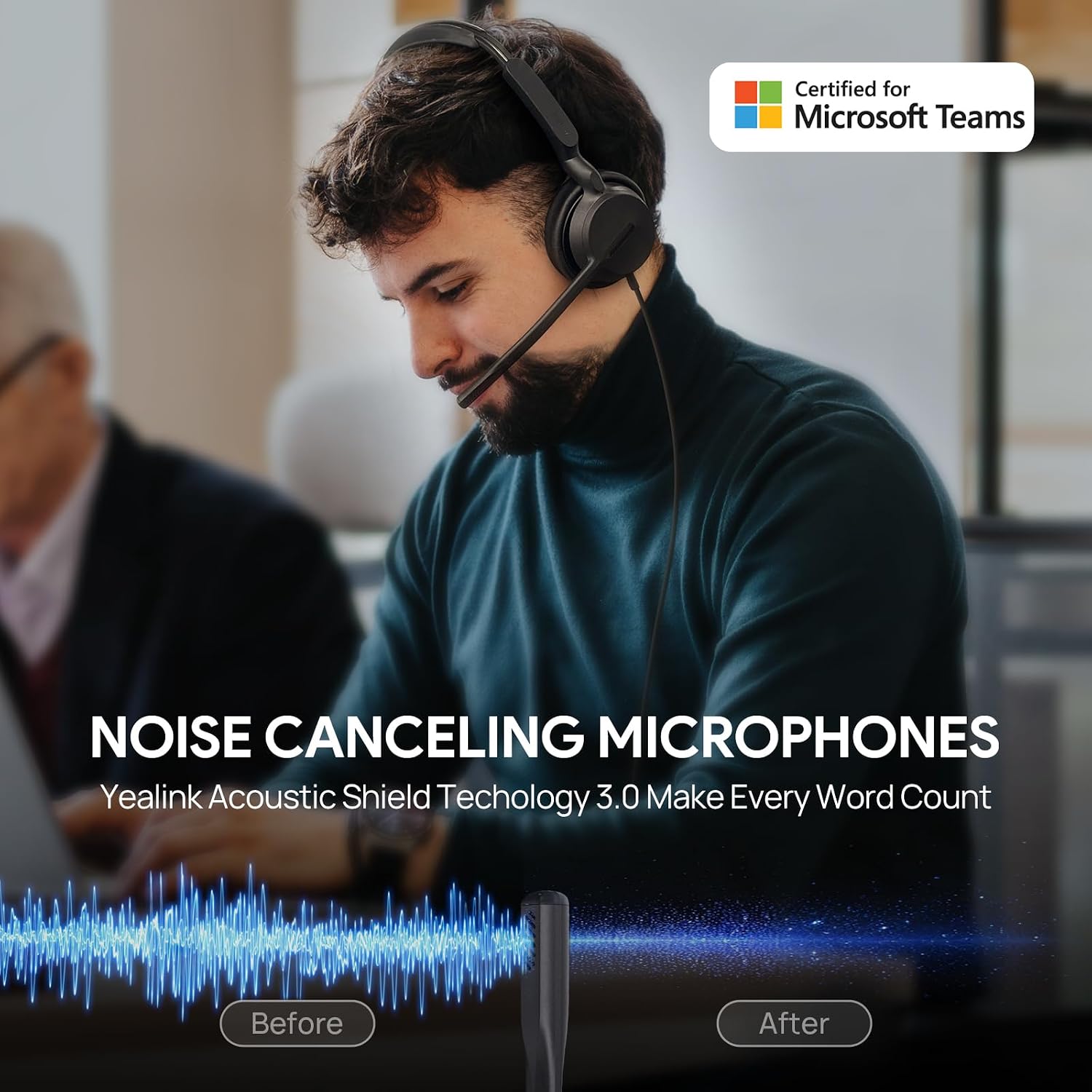
YEALINK ACOUSTIC SHIELD 3.0 NOISE CANCELLATION TECHNOLOGY: Yealink’s exclusive microphone technology silences background chaos (like keyboard clicks, loud pets, or kids) so your voice comes through crisply on calls. Perfect for busy home offices or open workspaces.
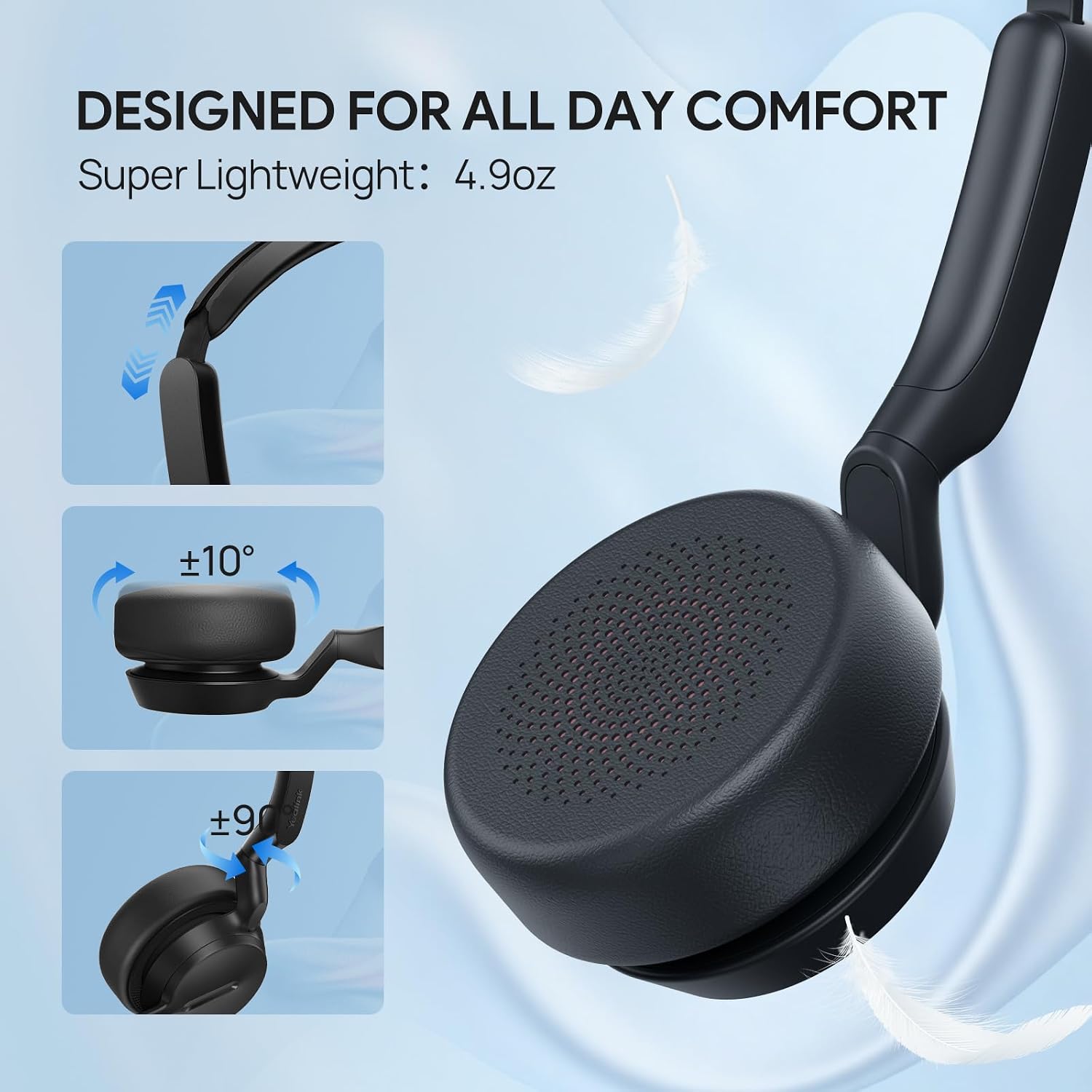
ALL-DAY COMFORT FOR MARATHON WORK SESSIONS: Soft protein leather ear cushions (2.6-inch diameter) fully enclose your ears, while the adjustable metal headband and lightweight design (Dual 4.9oz, Mono 3.4oz) .The 280° rotatable microphone boom allows flexible adjustment for both left and right ear wearing, ensuring optimal comfort and personalized fit.
SMART IN-LINE CONTROLS & TEAMS INTEGRATION: One-touch mute, volume adjustment, call/music control, and a dedicated Teams button to join meetings instantly. No more fumbling with software—take command right from your wired headset.
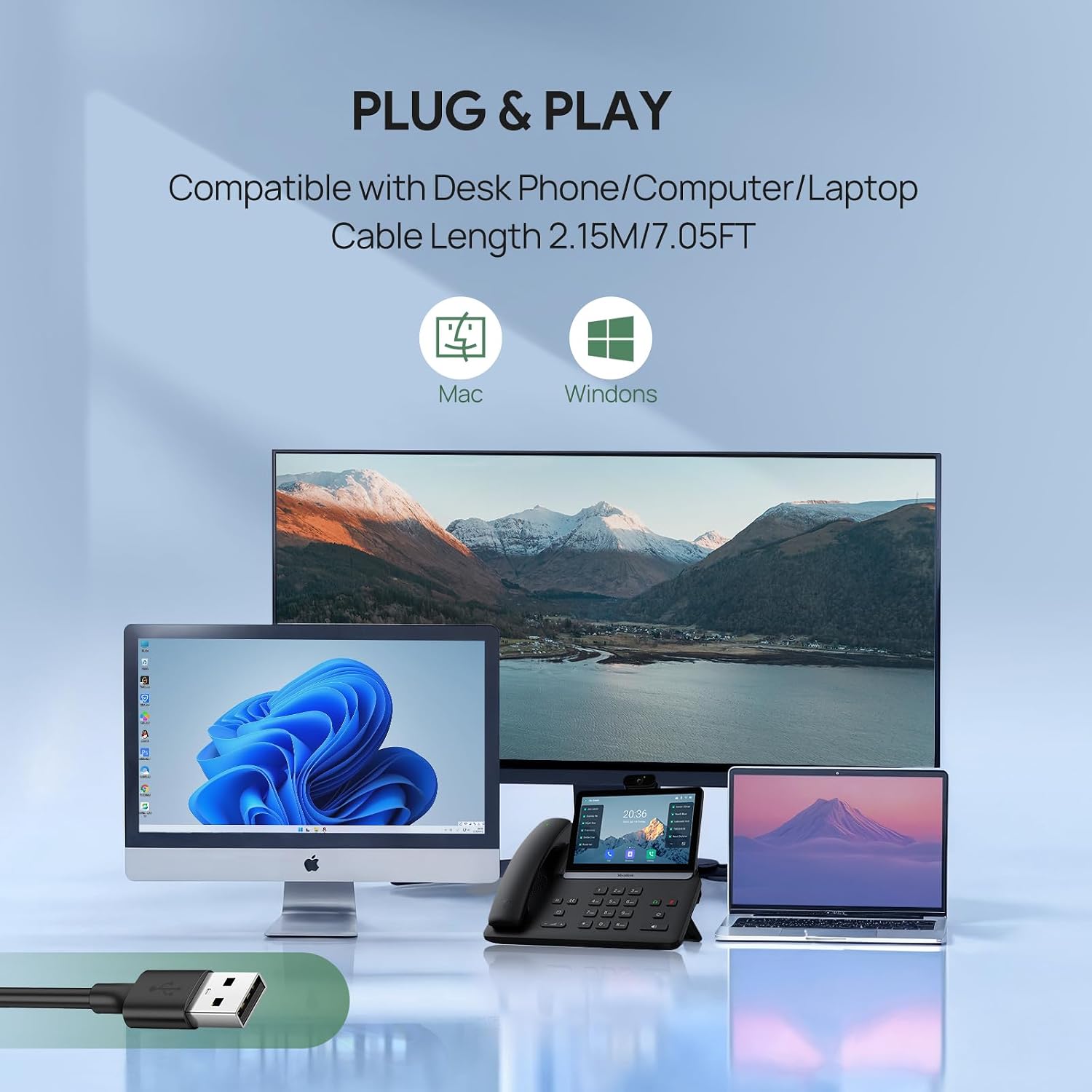
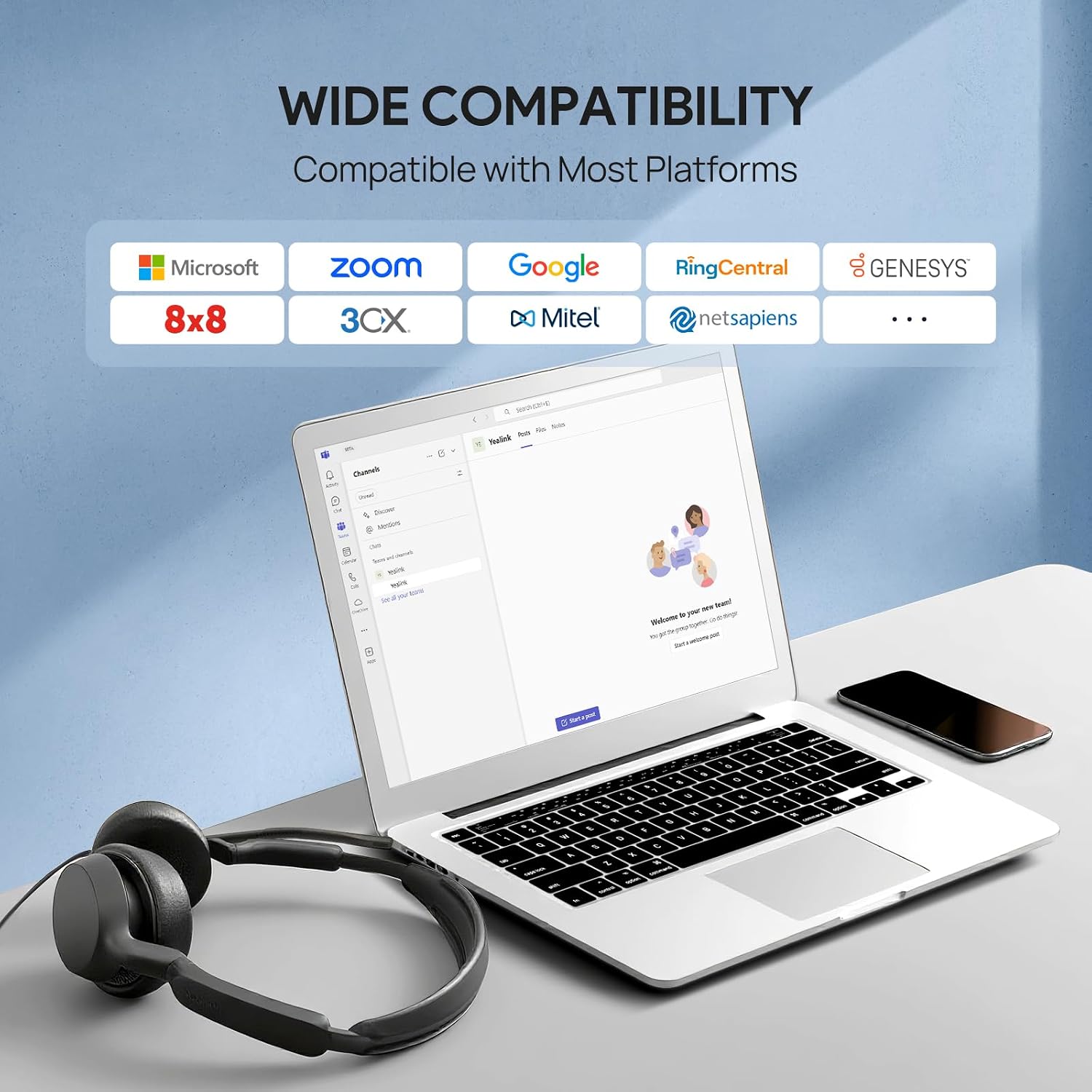
PLUG-AND-PLAY for Teams Certified: Works seamlessly with PC, Mac, laptops, and desktops via USB-A—no drivers needed. Ideal as a reliable USB headset for remote work, customer service, or conference calls.Certified for Microsoft Teams and optimized for Zoom, Skype, Google Meet, etc
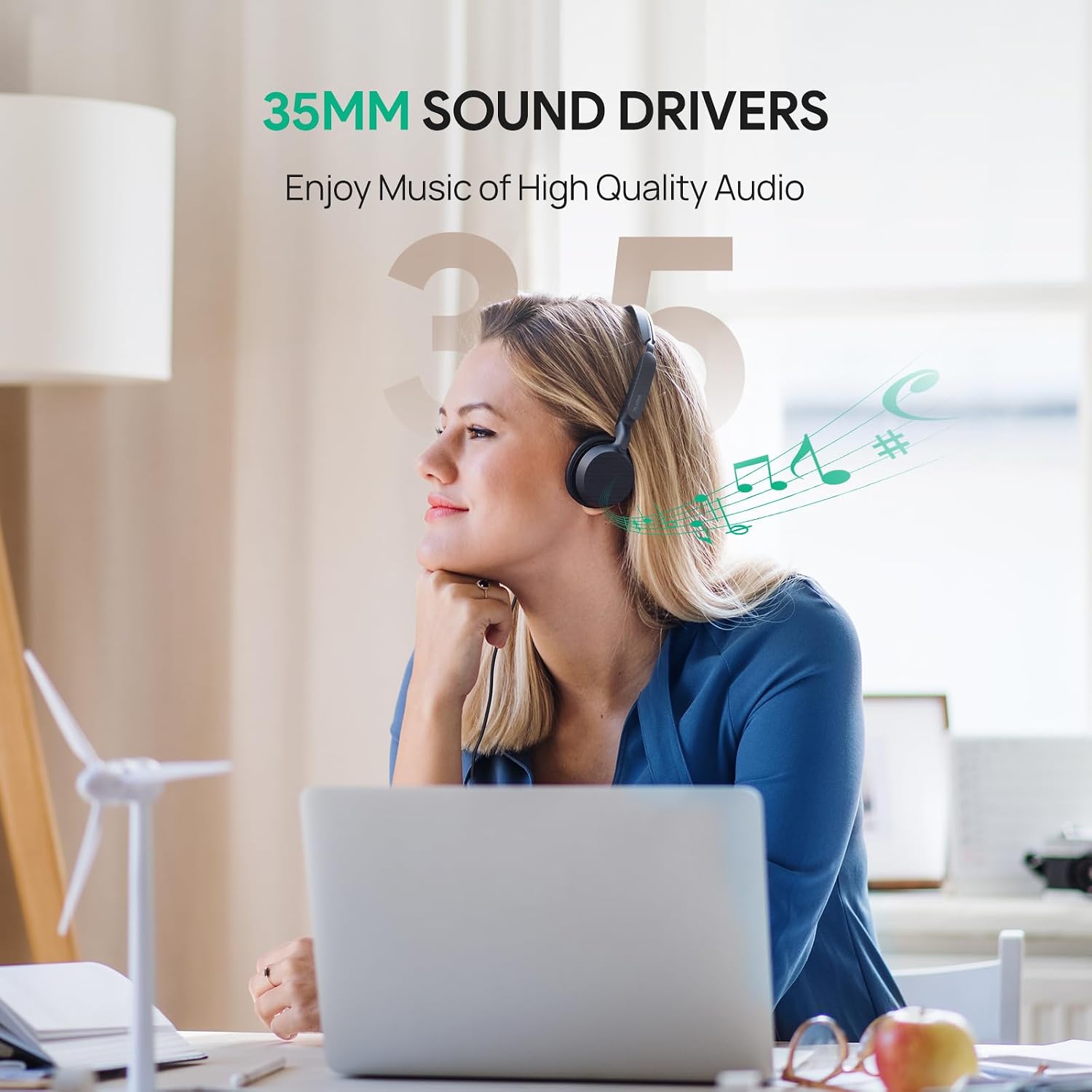
CRYSTAL CLEAR AUDIO: Equipped with 35mm large speaker drivers (25% larger than 28mm other brands), this computer headset with microphone delivers rich, high-fidelity audio for calls, music, and meetings—ensuring every word is heard without distortion.

Yealink UH42 USB-C/A Wired Headset,AI No…

$49.99

Carts View
Logo
Shopping cart